Publish the Lab 03 RFP Response Agent for this exercise, then create RFP Response Request Handler in Copilot Studio.
Expect: An Office 365 Outlook trigger uses your workshop inbox and exposes the attachment content.
ESPC26 · Brick by Brick · Lab 04
Call your RFP agent from a workflow, use its Skill in Cowork, and share a collection across two agents.
You’re ready to move on when you can identify which building block is reused in the workflow, in Cowork, and in the second travel agent.
Bring your RFP agent
Route an RFP
Publish the Lab 03 RFP Response Agent for this exercise, then create RFP Response Request Handler in Copilot Studio.
Expect: An Office 365 Outlook trigger uses your workshop inbox and exposes the attachment content.
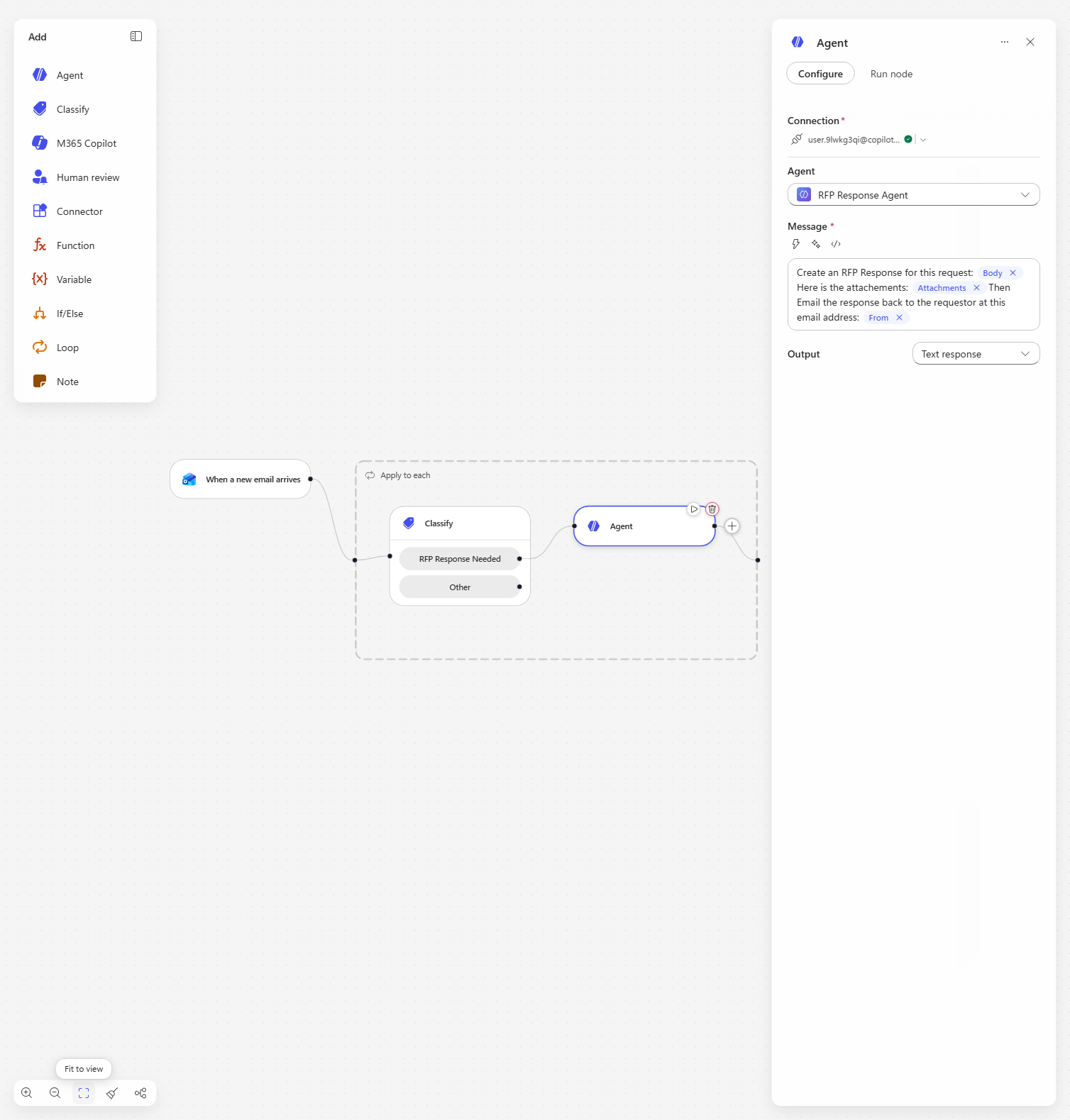
Classify each attachment and add an Agent node to the RFP Response Needed branch.
This request needs an RFP response because a request for proposals is attached.Draft the complete proposal for this fictional RFP. Format the proposal as clean HTML with headings, paragraphs, tables, and lists for an Outlook draft. Flag any claims that require verification.View Microsoft’s finished workflow layout.
Expect: The matching branch calls the published RFP Response Agent and returns text.
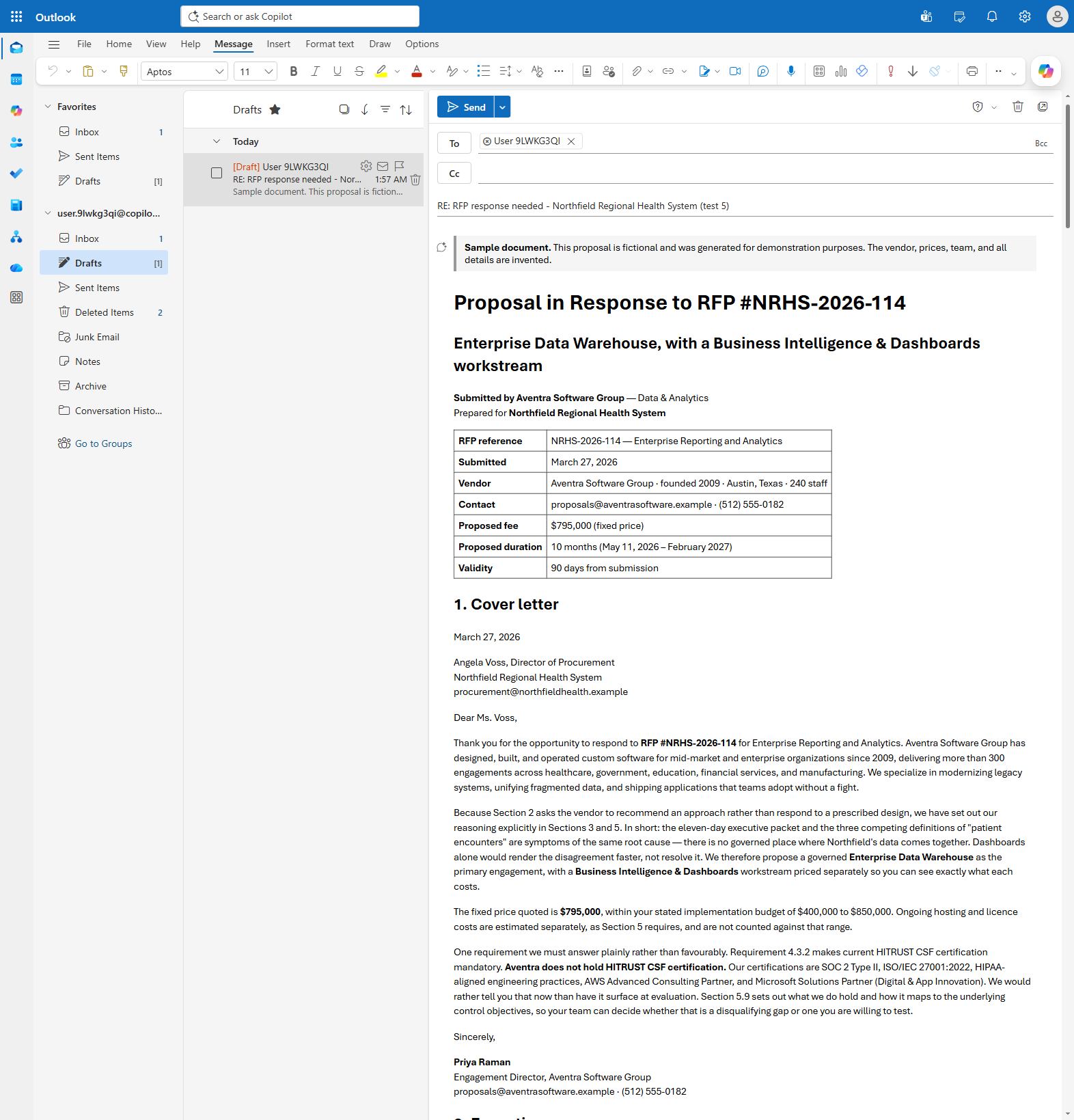
Add Draft an email message after the Agent node, then run one workshop test.
If the run is in progress, allow time for the trigger and the Agent node. The presenter can show the prepared draft while the run completes. View Microsoft’s example draft.
Expect: Activity shows the matching branch ran. The formatted proposal is in Outlook Drafts.
Install the shared plugin
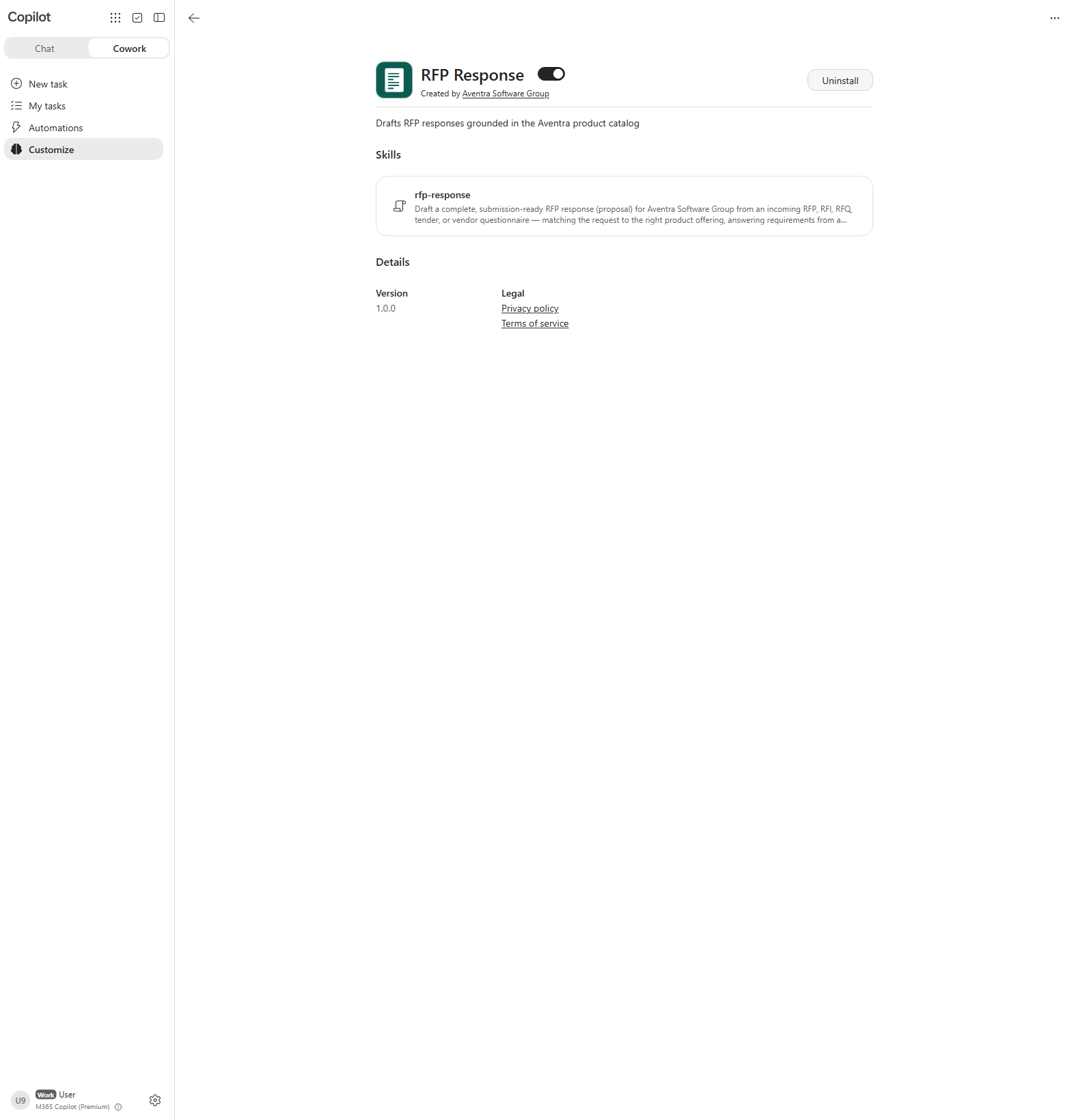
In Cowork, open Customize → Plugins → Shared with me and install RFP Response.
View Microsoft’s installed plugin example.
Expect: The installed plugin is enabled and lists rfp-response under Skills.
In Cowork, start a task with the Ironwood RFP and ask for a draft response.
We are bidding on this RFP. Draft our response.Expect: Cowork identifies the RFP Response Skill before producing proposal files under Output.
Choose the reusable building block
For further practice, reuse a Cowork Skill in Agent Builder or connect agents with distinct responsibilities.
Adapted from Microsoft’s Deep Dive: Skills, Cowork + Plugins Hands-On Lab, and Using Component Collections in Copilot Studio. Fictional RFP downloads link to their original repository.
MIT License
Copyright (c) Microsoft Corporation.
Permission is hereby granted, free of charge, to any person obtaining a copy of this software and associated documentation files (the "Software"), to deal in the Software without restriction, including without limitation the rights to use, copy, modify, merge, publish, distribute, sublicense, and/or sell copies of the Software, and to permit persons to whom the Software is furnished to do so, subject to the following conditions:
The above copyright notice and this permission notice shall be included in all copies or substantial portions of the Software.
THE SOFTWARE IS PROVIDED "AS IS", WITHOUT WARRANTY OF ANY KIND, EXPRESS OR IMPLIED, INCLUDING BUT NOT LIMITED TO THE WARRANTIES OF MERCHANTABILITY, FITNESS FOR A PARTICULAR PURPOSE AND NONINFRINGEMENT. IN NO EVENT SHALL THE AUTHORS OR COPYRIGHT HOLDERS BE LIABLE FOR ANY CLAIM, DAMAGES OR OTHER LIABILITY, WHETHER IN AN ACTION OF CONTRACT, TORT OR OTHERWISE, ARISING FROM, OUT OF OR IN CONNECTION WITH THE SOFTWARE OR THE USE OR OTHER DEALINGS IN THE SOFTWARE